How to view exact LLMs answers to your prompts?
Last updated: August 25, 2026
With Trendos, you can now see the exact answers generated by LLMs for your tracked prompts. This helps you understand not only your visibility, but also what AI models are actually saying in response to your prompts.
How to find LLM answers
Go to Prompt Management in your Trendos dashboard.
Find the prompt you want to analyze.
Click on the prompt to open its details.
Use the available filters to narrow down the results:
Date range
Country
LLM model
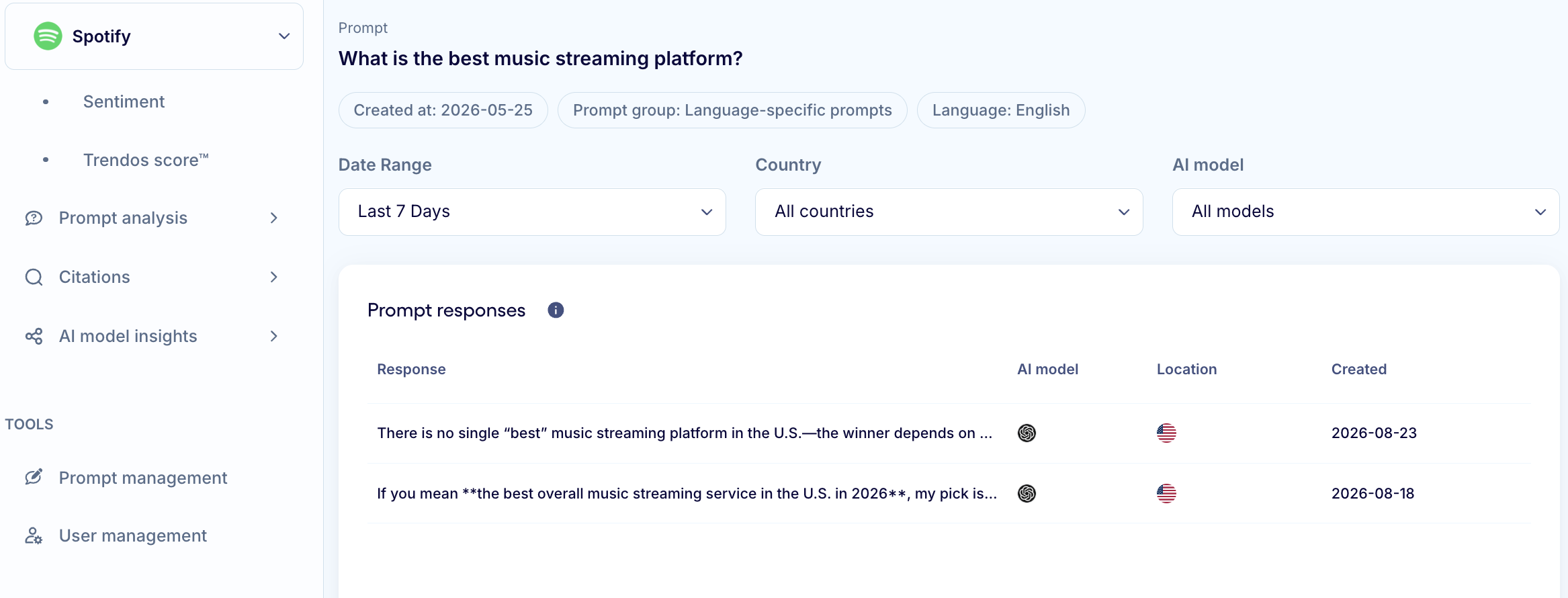
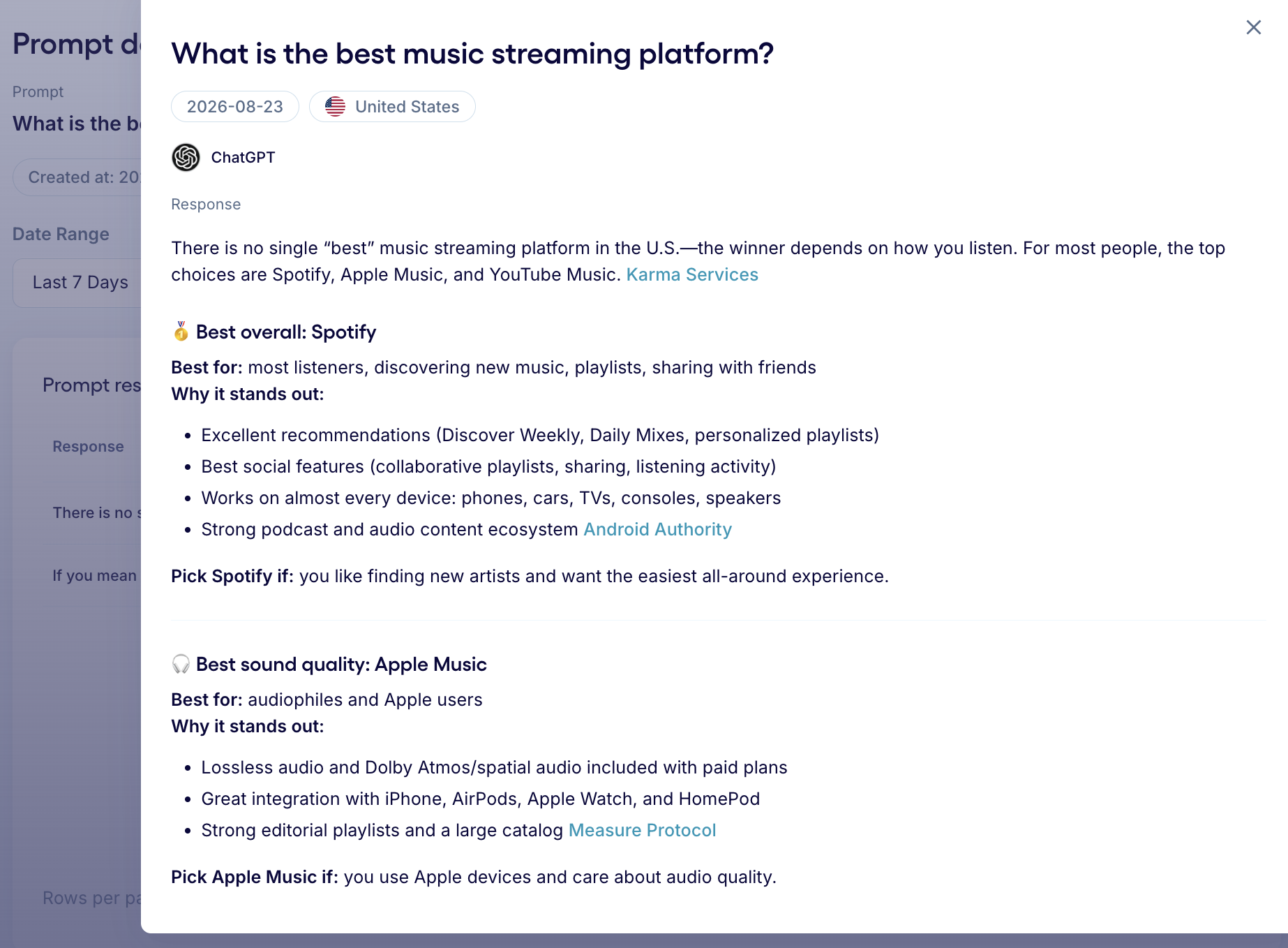
Review the exact LLM responses generated for the selected prompt.
This allows you to compare how different LLMs answer the same prompt, and how responses change across countries, LLMs or over time.
Explore query fanouts
When you scroll down on the prompt details page, you can also see the query fanouts associated with the prompt.
Query fanouts show the additional queries that the LLM generates or considers when processing the original prompt. Reviewing these fanouts can help you understand what topics, questions, and search intents are influencing the final AI answer.
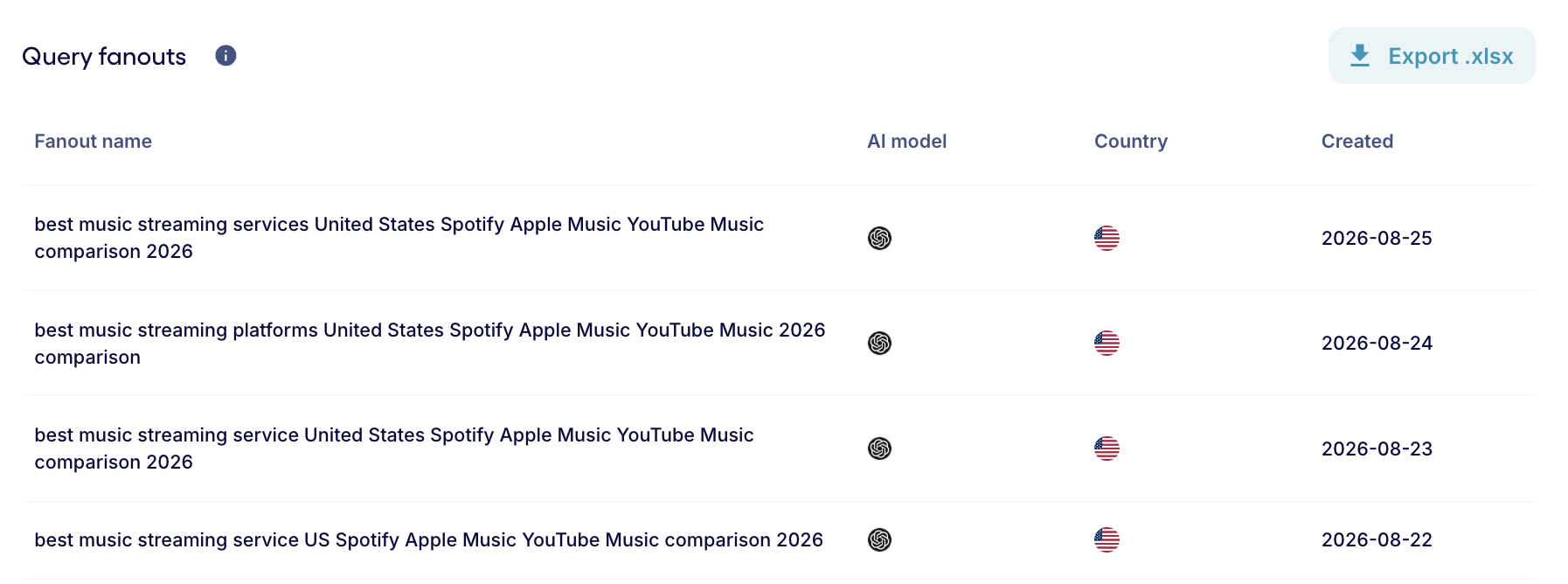
Note - currently Query fanouts only available for ChatGPT.
Why use exact LLM answers?
Exact responses give you more context behind your AI visibility metrics. Instead of only seeing whether your brand was mentioned, you can:
See exactly what the LLM says about your brand
Understand how your competitors are presented
Identify inaccurate or missing information
Compare responses across LLM models and countries
Track how AI-generated answers change over time
Analyze the query fanouts behind your prompts